Sample Business Dashboards
See what better business systems could look like.
These sample dashboards show how Gemini Lane helps small to mid-sized businesses organize workflows, reduce manual work, track clients, and create more efficient operations.
Why dashboards help
Your business should not live in scattered notes, inboxes, and spreadsheets.
A good dashboard gives you one place to see what matters: clients, tasks, deadlines, projects, leads, team responsibilities, and next steps. The goal is not more software. The goal is less confusion.
01Lead Comes In
The lead is captured from your website, form, referral, or phone inquiry.
02Follow-Up Is Triggered
The system reminds you or automatically sends the first response.
03Work Is Organized
Tasks, owners, due dates, and client details move into one dashboard.
04Owner Gets Visibility
You can see what is active, what is stuck, and what needs your decision.
Dashboard examples
Sample systems Gemini Lane can build or customize for your business.
These examples can be built in tools like Notion, Airtable, Monday, ClickUp, Google Workspace, or a custom system depending on your needs, team, and workflow.
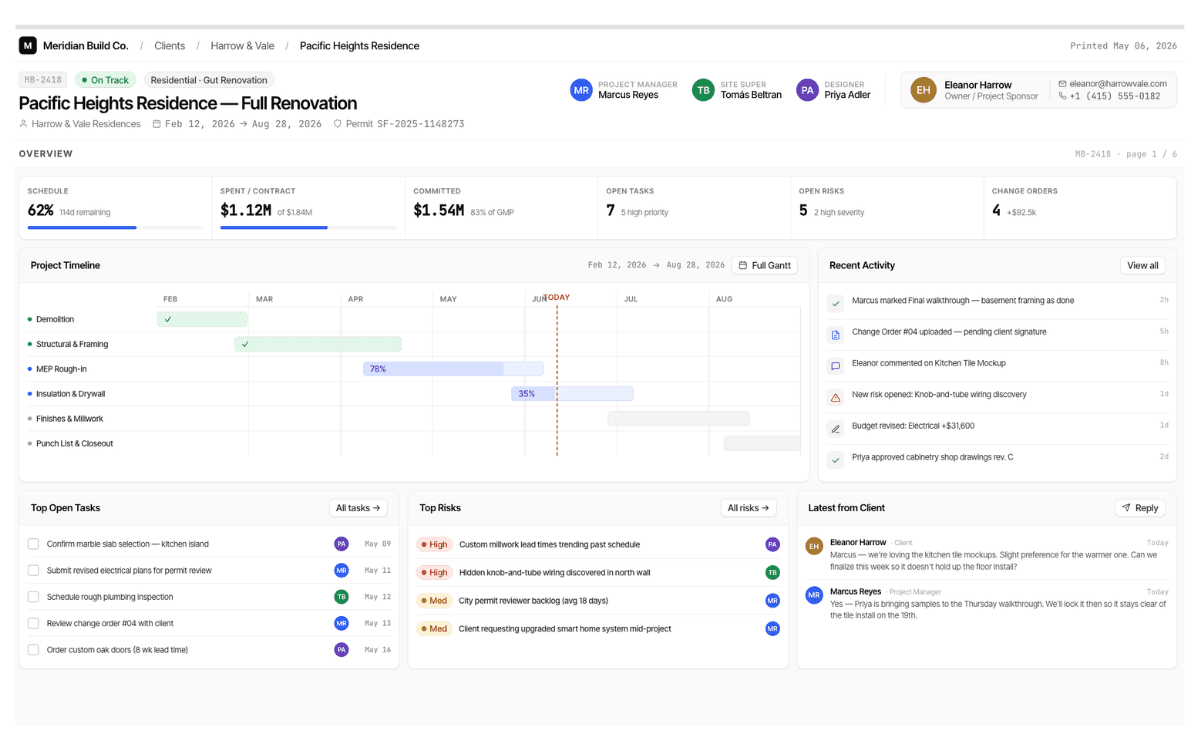
A centralized client view that keeps project details, deadlines, budget notes, contracts, risks, and communication in one place.
What it can include:
- Client contact details
- Project status and timeline
- Open tasks and owners
- Budget and contract notes
- Risk and issue tracking
Business outcome:
Helps business owners reduce missed updates, improve communication, and keep projects moving without digging through emails.
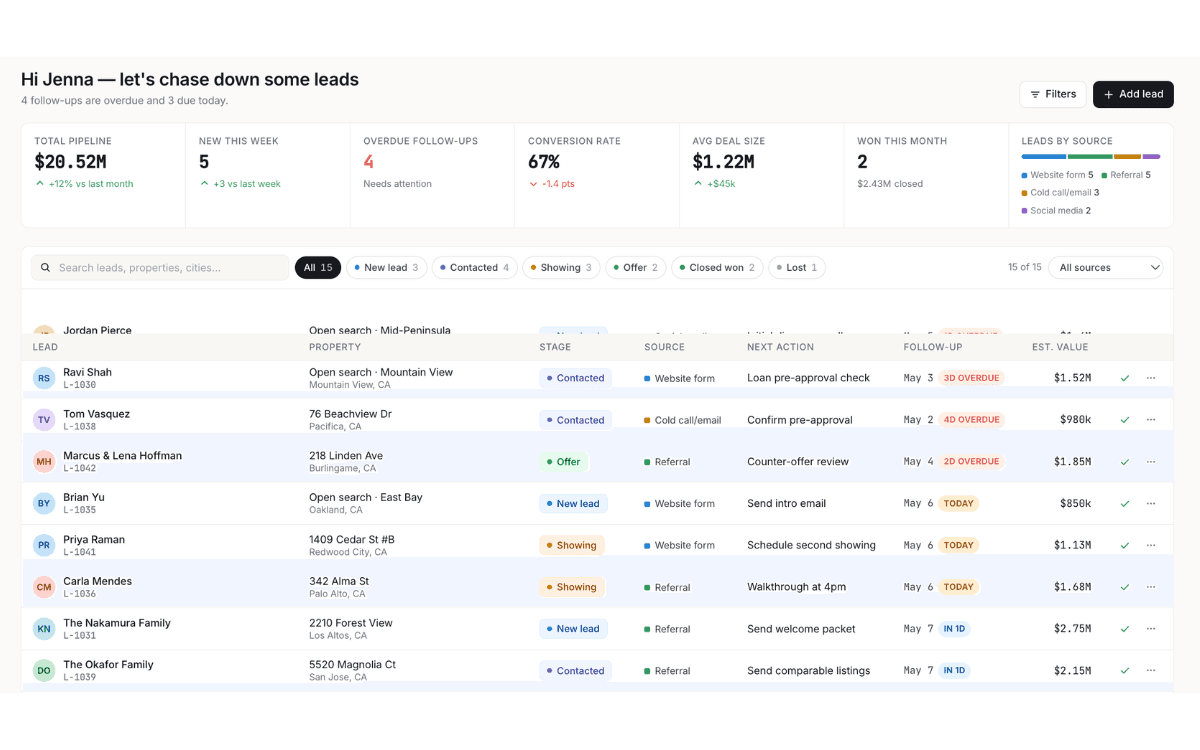
A simple sales pipeline that tracks new leads, follow-up dates, lead source, estimated value, and next action.
What it can include:
- New lead capture
- Follow-up reminders
- Lead source tracking
- Deal stage visibility
- Missed opportunity alerts
Business outcome:
Helps you respond faster, stop losing leads, and create a consistent follow-up process.
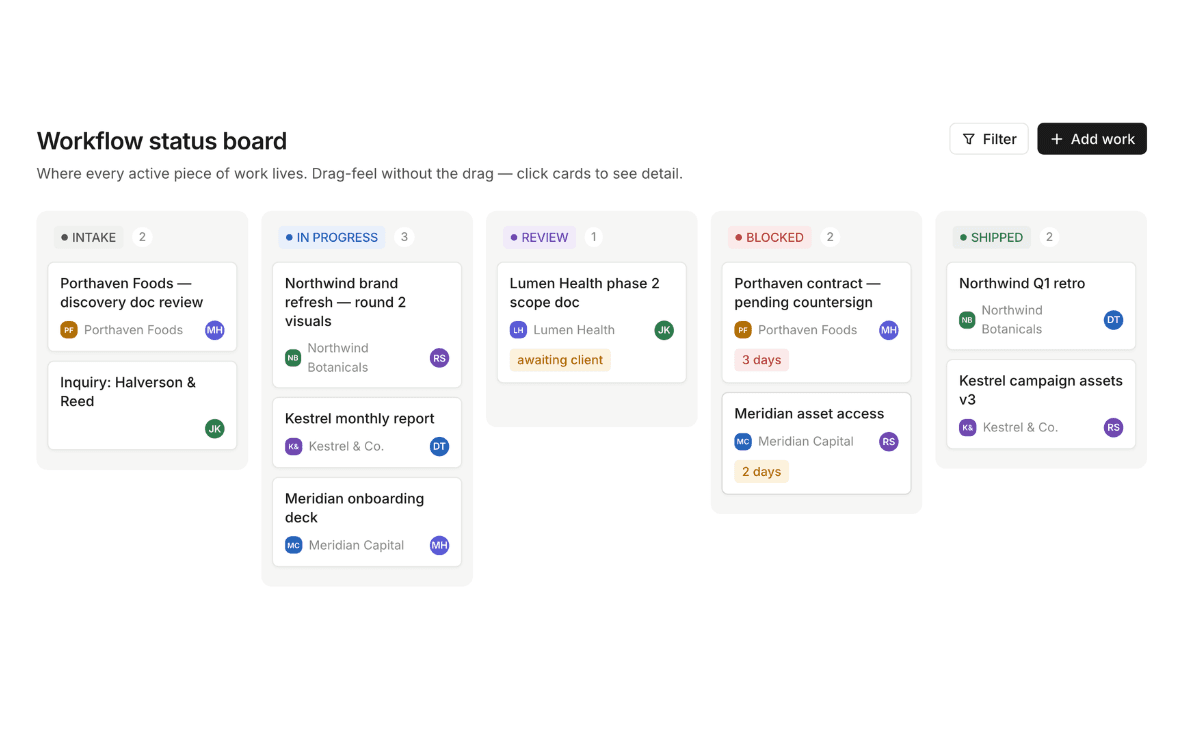
A backend operating system for recurring tasks, team responsibilities, SOPs, and workflow bottlenecks.
What it can include:
- Recurring task tracker
- Workflow status board
- Team responsibility map
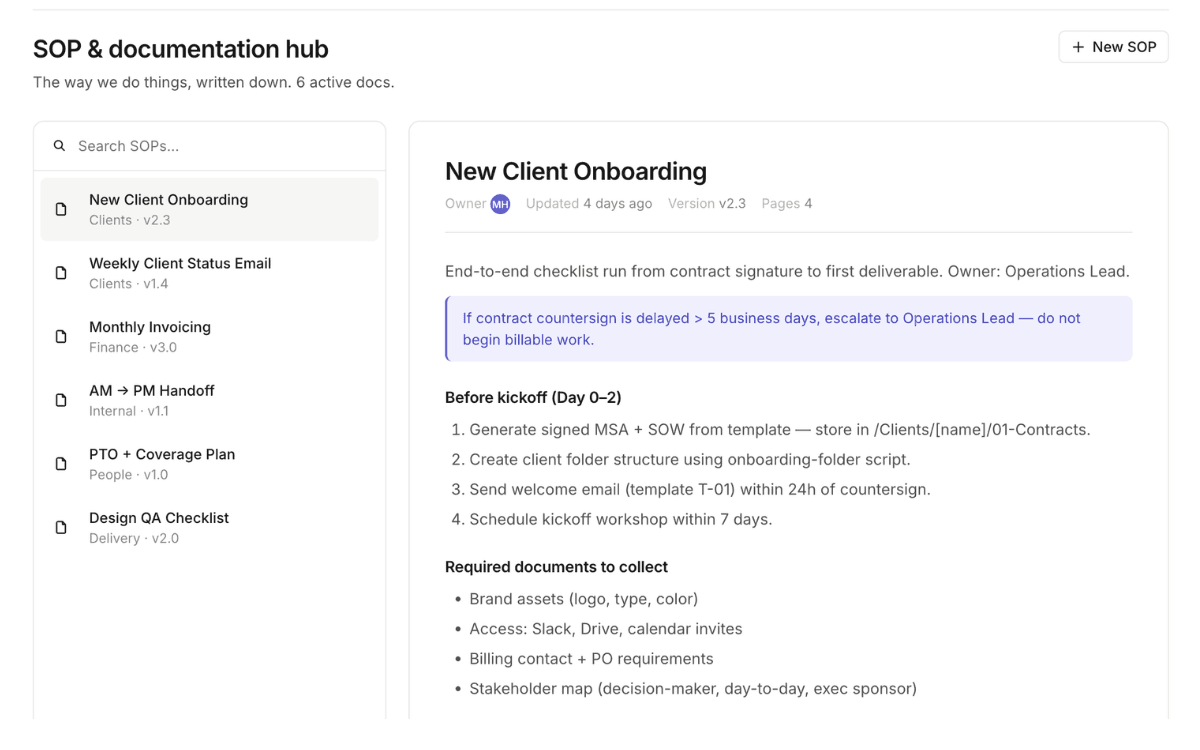
- SOP/documentation hub
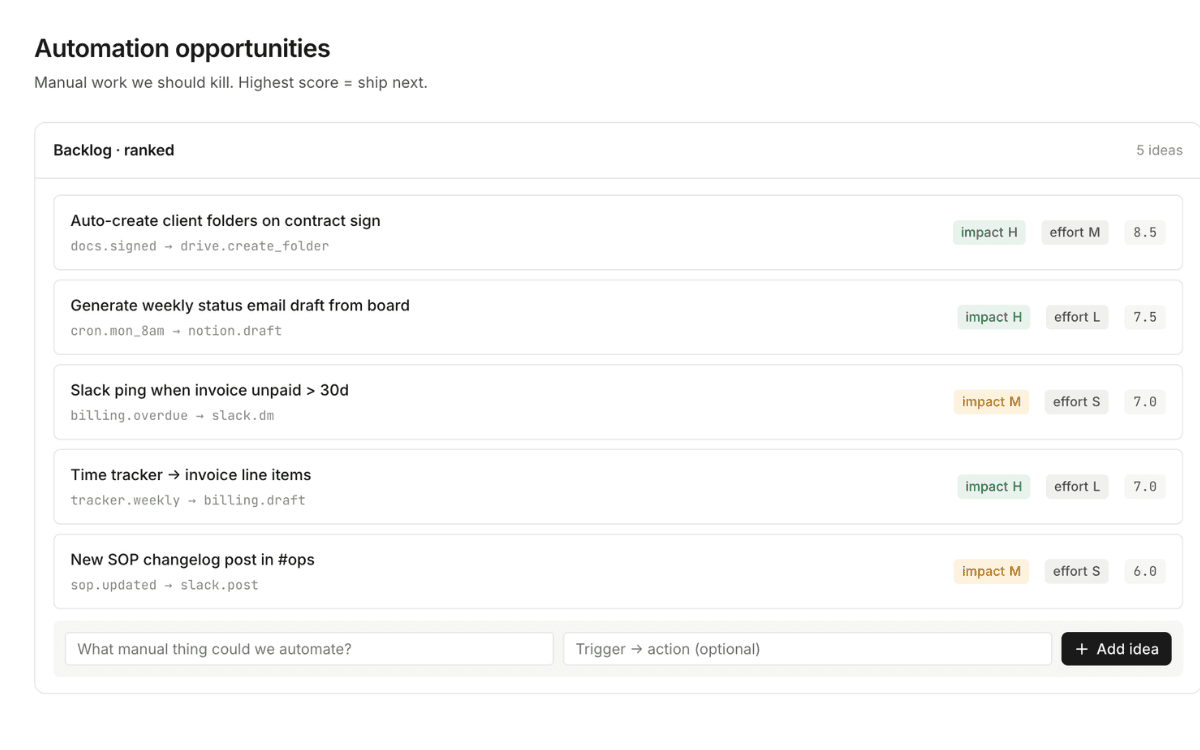
- Automation opportunities list
Business outcome:
Helps reduce duplicated work, clarify ownership, and make the business less dependent on memory.
A practical dashboard for identifying which manual tasks can be automated, delegated, simplified, or supported with AI.
What it can include:
- Manual task inventory
- AI opportunity score
- Time-savings estimate
- Tool recommendation notes
- Implementation priority list
Business outcome:
Helps you avoid random AI tools and focus only on automation that can actually save time.
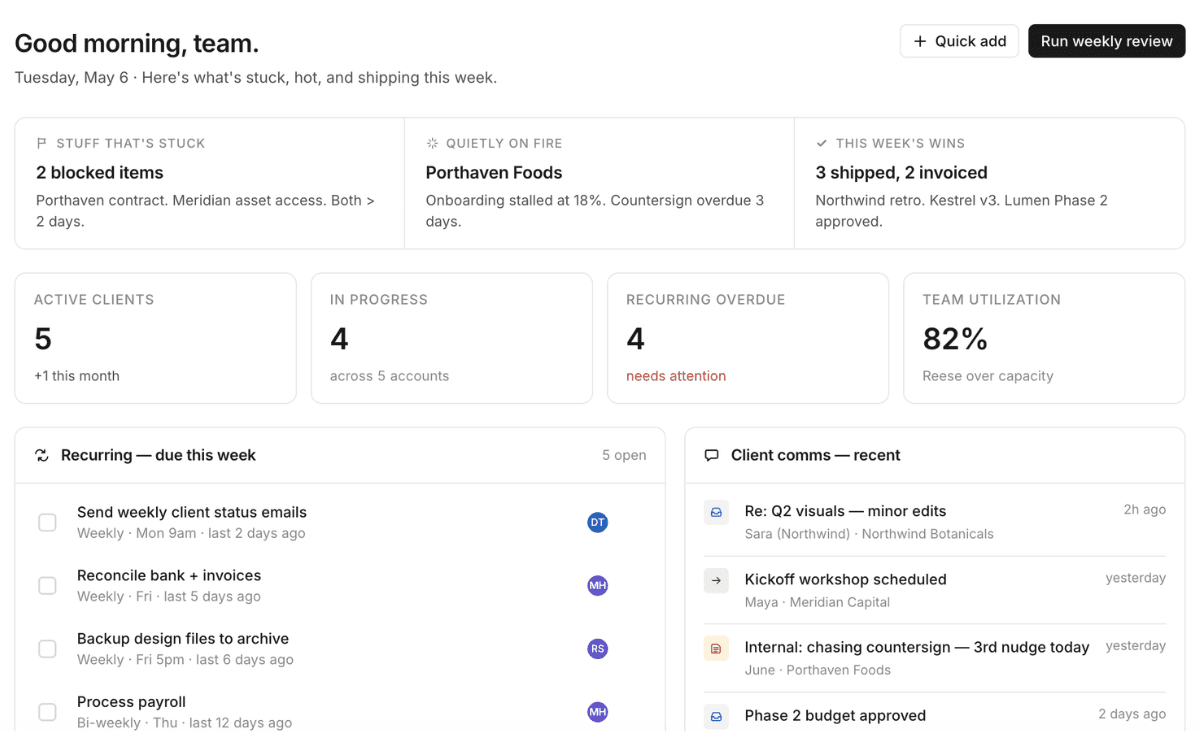
A high-level dashboard that gives the owner visibility into priorities, projects, leads, team tasks, and operational issues.
What it can include:
- Weekly priority view
- Active project snapshot
- Lead and revenue pipeline
- Team task summary
- Decisions needed section
Business outcome:
Helps you see what matters most each week without jumping between multiple systems.
A repeatable onboarding system that guides every new client through the same organized process from signed agreement to kickoff.
What it can include:
- New client checklist
- Required documents
- Kickoff tasks
- Internal handoff notes
- Client communication tracker
Business outcome:
Creates a smoother client experience and reduces the chance of missed setup steps.
Custom build options
These dashboards are examples. Yours should match how your business actually runs.
Workflow mapping before buildingCustom fields based on your businessTeam training and handoffAutomation recommendations included
Common dashboard builds
What business owners usually need first.
For lead management
Track inquiries, follow-ups, lead source, proposal status, and next action so opportunities do not fall through the cracks.
For client work
Organize client information, project timelines, deliverables, files, approvals, and communication in one place.
For team operations
Clarify who owns what, what is due this week, what is blocked, and which tasks repeat every month.
Free Business Analysis
Not sure which dashboard your business actually needs?
Start with the free business analysis. You’ll get an instant efficiency score and a clearer idea of what workflow, automation, or dashboard would make the biggest impact.
Build the system behind the business
Let’s turn your scattered workflows into a dashboard your business can actually use.
Book a short strategy call and we’ll talk through what is currently messy, manual, or difficult to track.